Creating the future vision of Zalando’s AI assistant
The Zalando Assistant (ZA), an AI-powered assistant to help people with style advice, and find items was launched in 2023. In December 2025, the design team working on ZA were tasked with updating the customer experience with a target state of 1-2 years. What followed were brainstorming, sessions, workshops and research which resulted in multiple insights, great collaborations and a direct impact to the product roadmap.
Working at Zalando
I worked at Zalando as a Senior Content Designer for 4 years. Zalando is an international online fashion retailer based in Berlin and active across markets in Europe. While I was first part of a centralised Content Design team, we were eventually embedded into various product areas. I worked with stakeholders from two teams — Zalando Assistant and Search & Discovery.
The challenge
The design team working on ZA was asked to create a bold and updated CX target state based on customer learnings and evolving AI capabilities. We basically needed to rethink the way customers use ZA and see how its capabilities could transcend the Zalando platform.
| Role: | Senior Content Designer |
| Responsibilities: | Content Design, Wireframing, User Research |
| Collaborators | UX Design, Product, Product Analyst, Applied Science, and Engineering |
The approach
1. Defining customer problems
We kickstarted the process by outlining the customer problems. This is based on previous customer research and current trends in the conversational CX space. Here are some of them:
As a customer I want ZA to anticipate and cater to my needs proactively whether I'm browsing, shopping or need inspiration.
As a customer who's had prior conversations, I want ZA to remember my history and preferences.
As a customer, I want ZA to not just tell me what's trendy and what I should buy, I want it to show me and inspire me with the latest trends and outfits that look good on me in an engaging way.
As a customer I want ZA to be able to have a natural, meaningful conversation and understand me irrespective of how I communicate; whether it's through text, voice notes, or photos.
2. Brainstorming solutions
The design team consisting of two product designers and one content designer then brainstormed potential solutions to these problems. There were no wrong answers and the initial sketches were done on whiteboards.
We eventually came upon 3 rough concepts based on ‘What if’ statements with multiple ideas solving the customer problems under each.
1. What if ZA is a separate app?
2. What if ZA is deeply integrated into the Zalando platform?
3. What if ZA exists in platforms like Gemini and ChatGPT?
We then fleshed out these sketches by creating sacrificial concepts. We used a Gem created by one of the designers to create these concepts in the form of a storyboard.
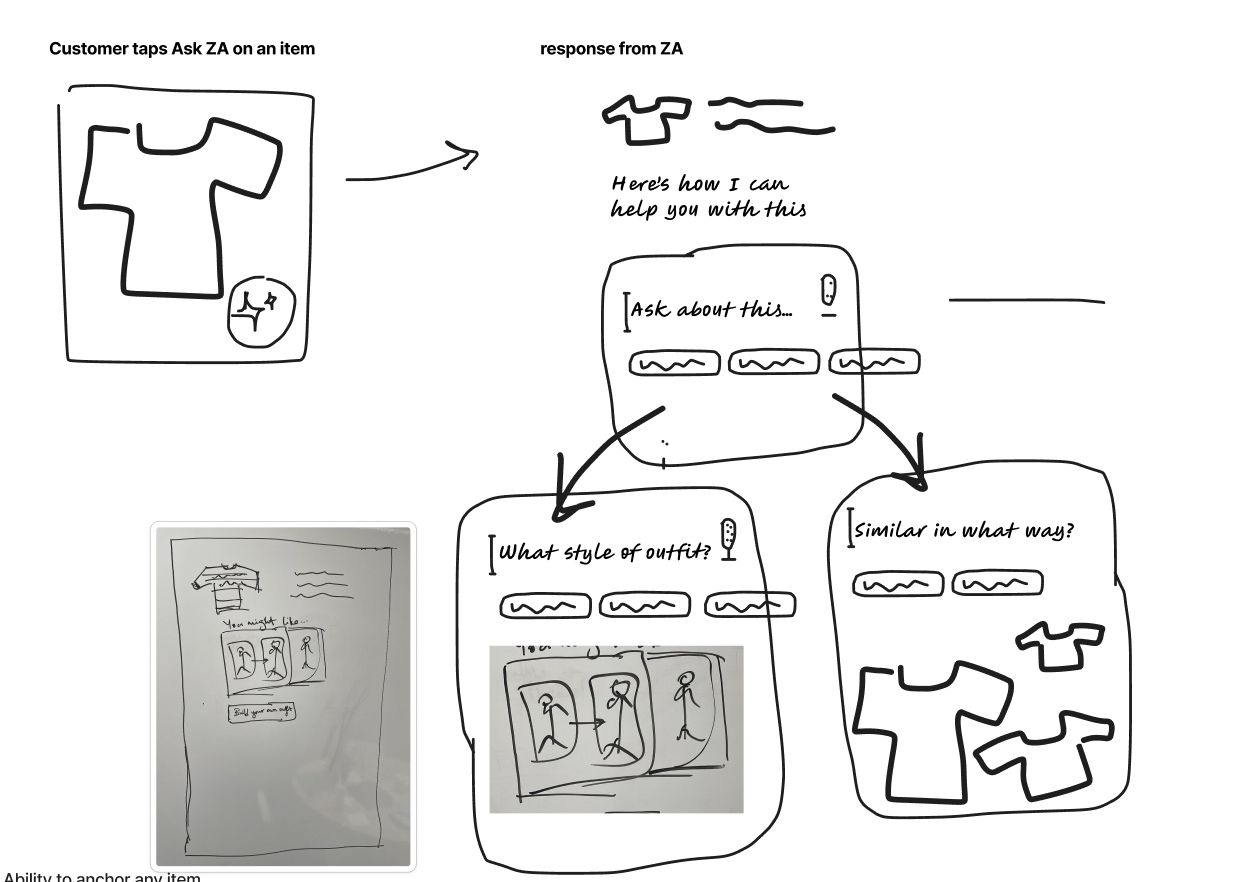
Some of the initial sketches during brainstorming.
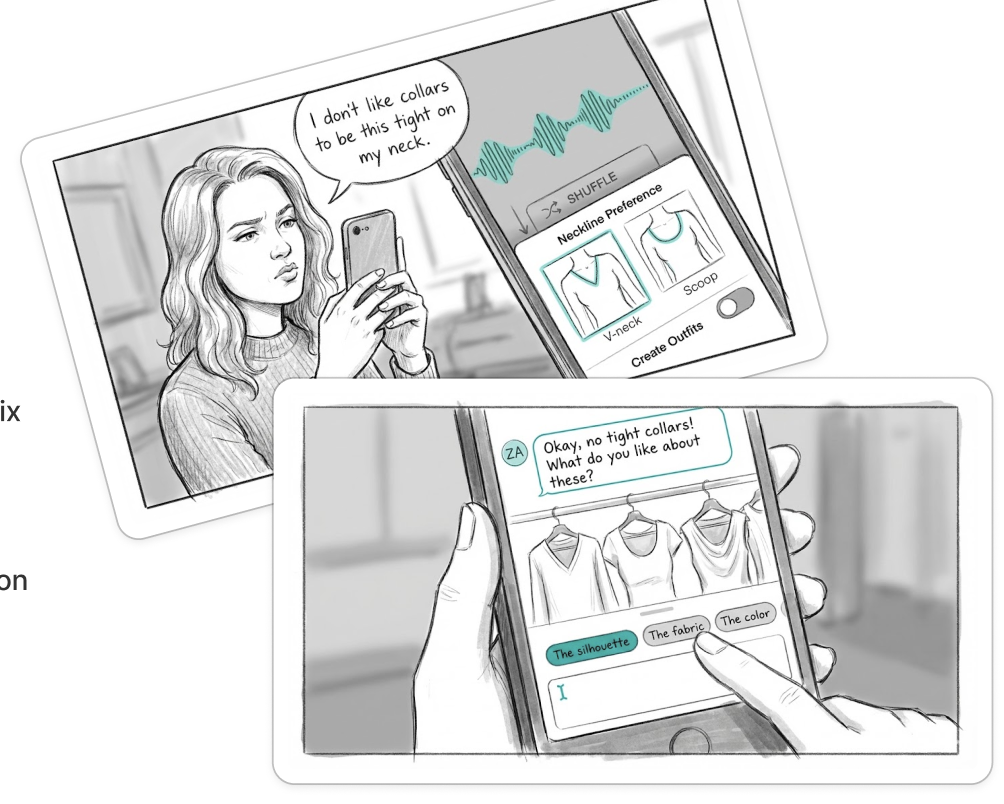
Some of the sacrificial concepts we created prior to the workshop.
3. Running a workshop
Another designer and I ran a workshop with participants with various job functions like Product Analysts, Fashion Experts, Engineers, Product Designers, Applied Scientists and Product Managers across Berlin, Dublin, and Shenzehn. The sacrificial concepts were critiqued and bar-raised by the participants. Upon synthesising the feedback and ideas from the workshop, we locked in on 3 promising journeys to test with customers.

We ran a hybrid workshop on Figjam
4. Conducting user research
I led the user research for this project from creating the research brief and writing the moderation guide to moderating the tests and synthesising the results. We used Great Question to run the research with 6 participants across countries in the EU. All of them were familiar with AI tools. These are the journeys we tested with prototypes:
User journey 1:
You ask ZA for shoes that’ll help you run the Berlin marathon. ZA responds by asking you questions about how many marathons you’ve run before so that it can give you the best options.
User journey 2:
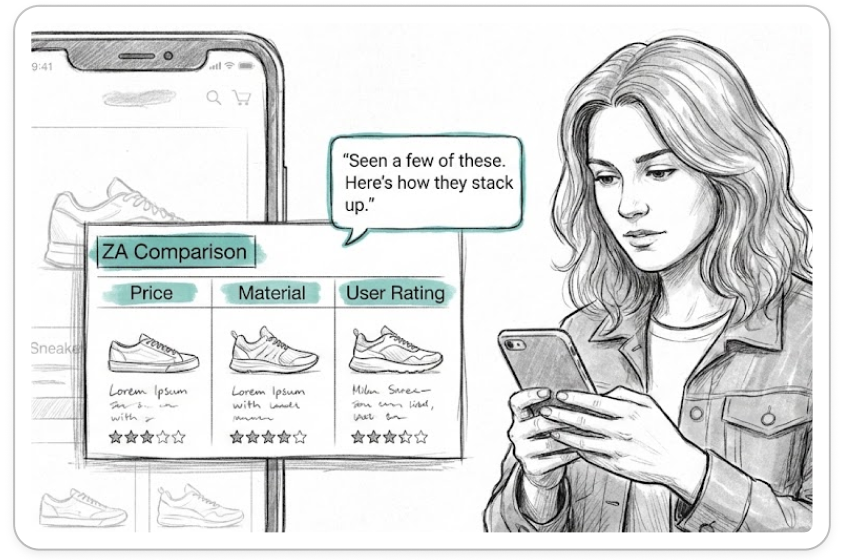
You’re shopping for shoes and ZA suggests a comparison table with attributes it knows are important to you to help you decide.
User journey 3 :
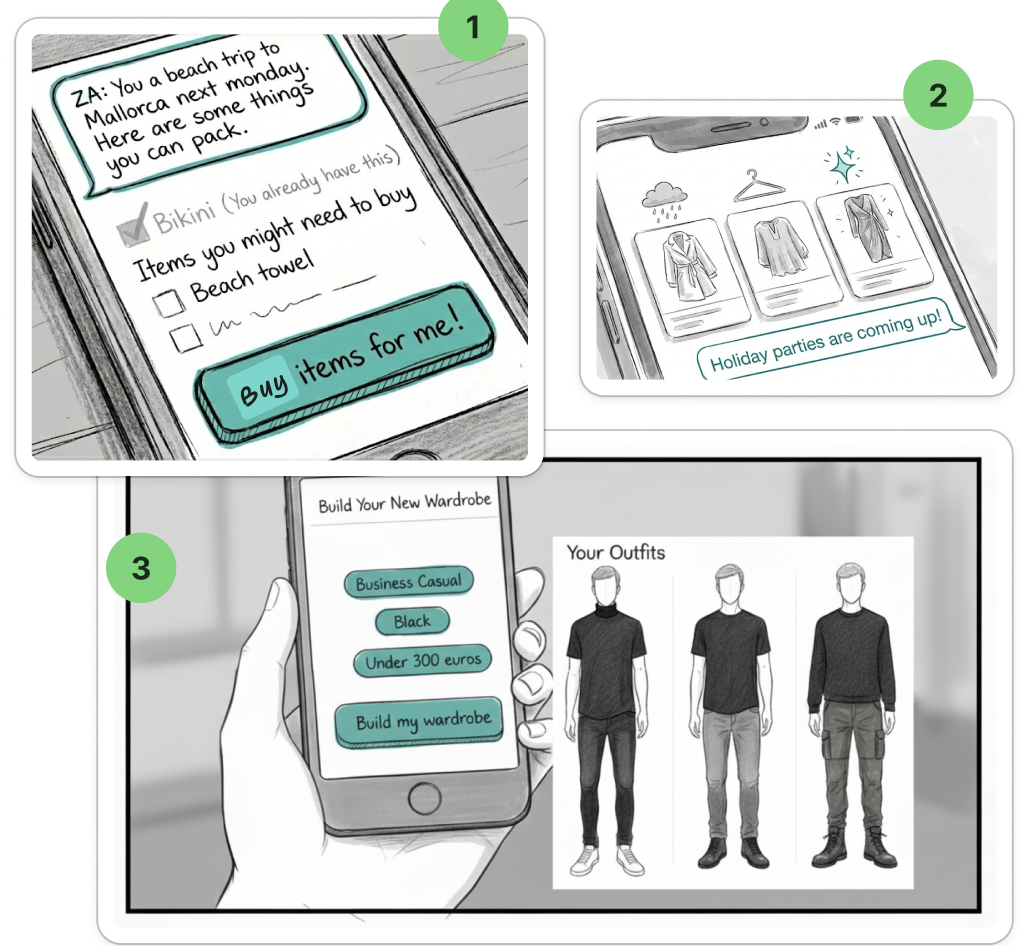
ZA proactively suggests an item that will compliment what you have in your wardrobe. When you click on the prompt, you see a complete outfit that you can buy. You can then refine or change things up by clicking on filters or chatting with the assistant.
I used the notes taken by observers and notetakers for all the interviews as well as the summary by Great Question to corroborate the findings and collate the results.
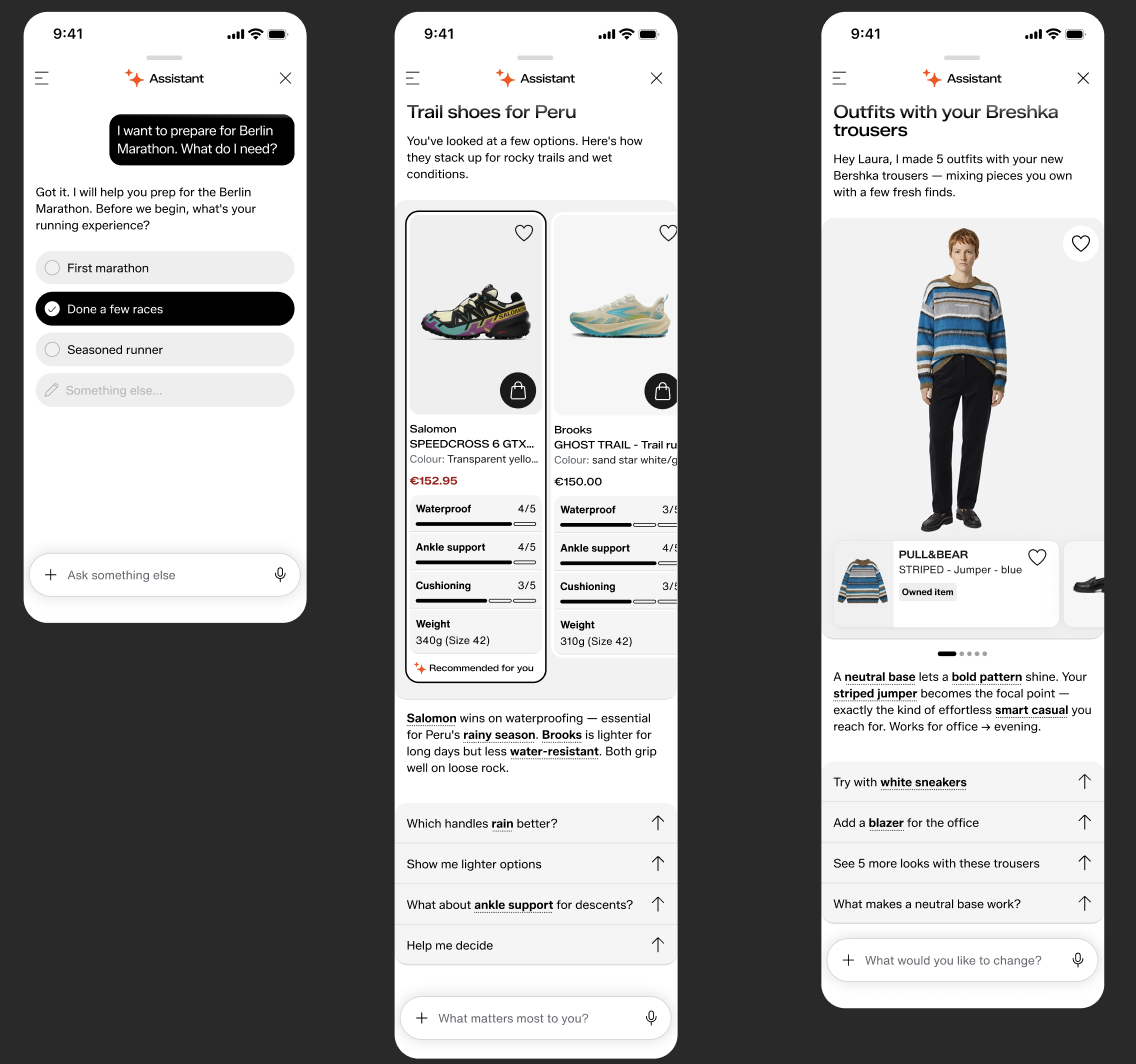
The three user journeys we tested.
5. Sharing the results
We bucketed the results under 3 categories — what was liked, what needed work and neutral observations. While we had more detailed findings for each user journey along with videos, quotes, and ratings, these were some of the primary high level findings.
6/6 participants liked the Comparison table and said it would help them decide between two items in the same category.
Participants preferred to see more items and said there was 'too much text' in the assistant's responses.
Most of them didn't mind the assistant knowing information about their size, favourite colour and styles if it would personalise results.
We shared these findings with leadership from Design, Engineering, and Product Management. We then did a shareout with the wider team.
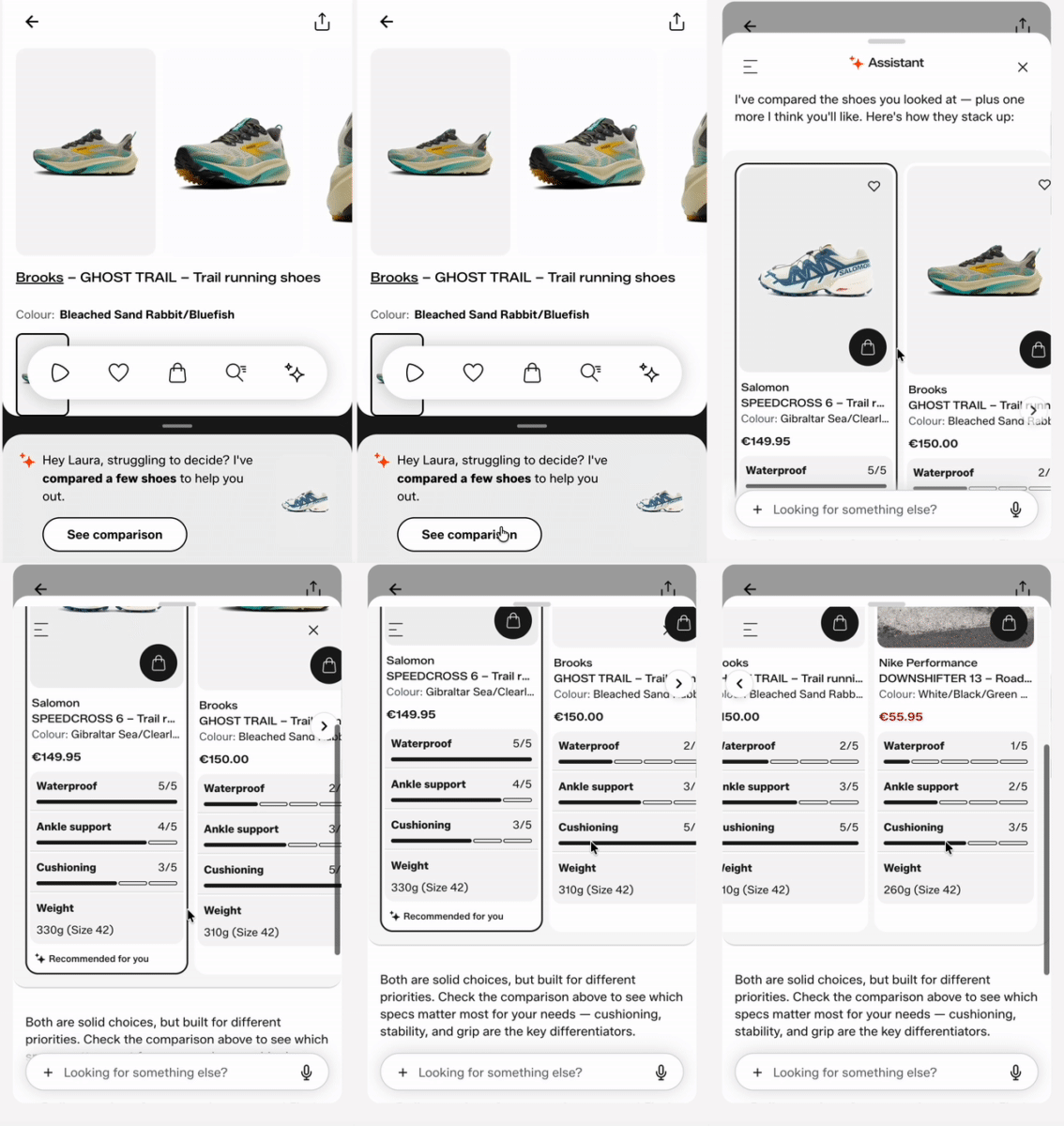
The Compare user journey was the most popular amongst the research participants.
The impact
Shaped the product roadmap: Our concepts and research directly influenced the direction of the product roadmap and what features/concepts to prioritise building. They prioritised building the Compare feature first.
Continued learning and collaboration: As a team, we learned a new way to create sacrificial concepts through the Gem.
Uncovered potential flaws in Great Question: We were able to alert the ResearchOps team about a flaw with Great Question’s AI synthesis — during the synthesis I found it hallucinated participant quotes if you were insistent with the assistant.